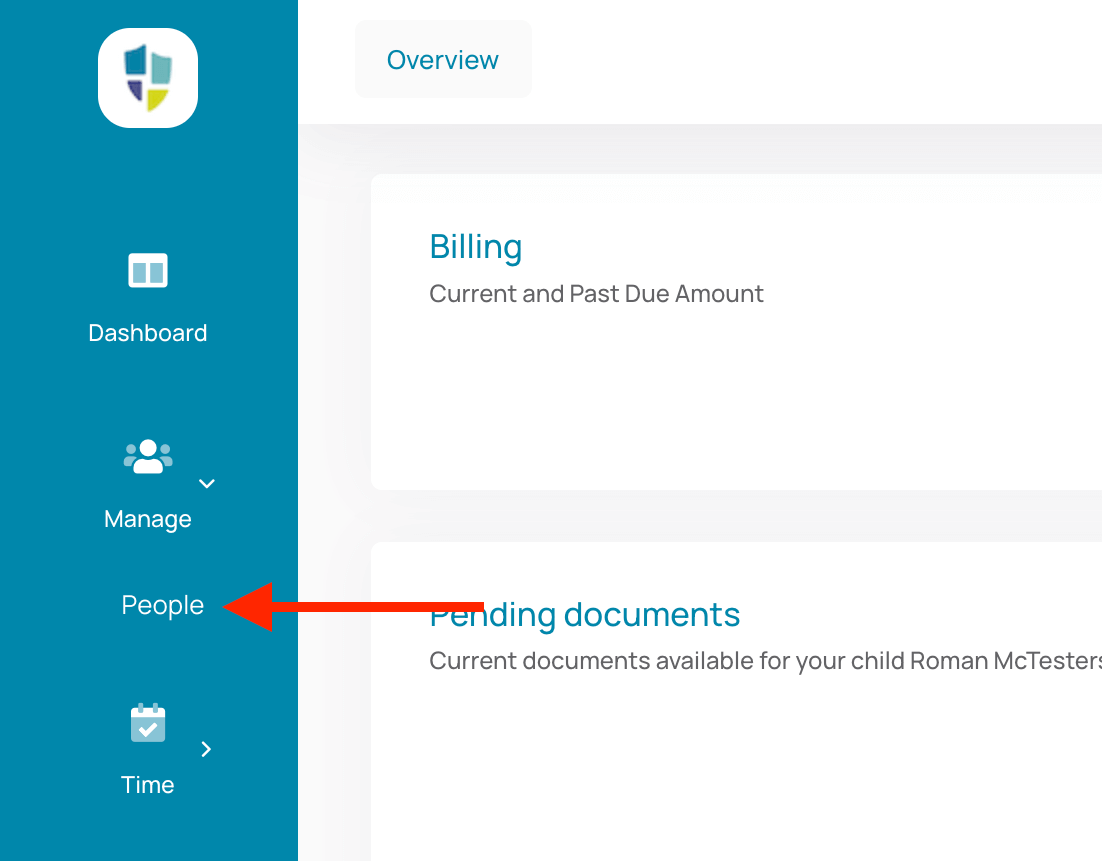
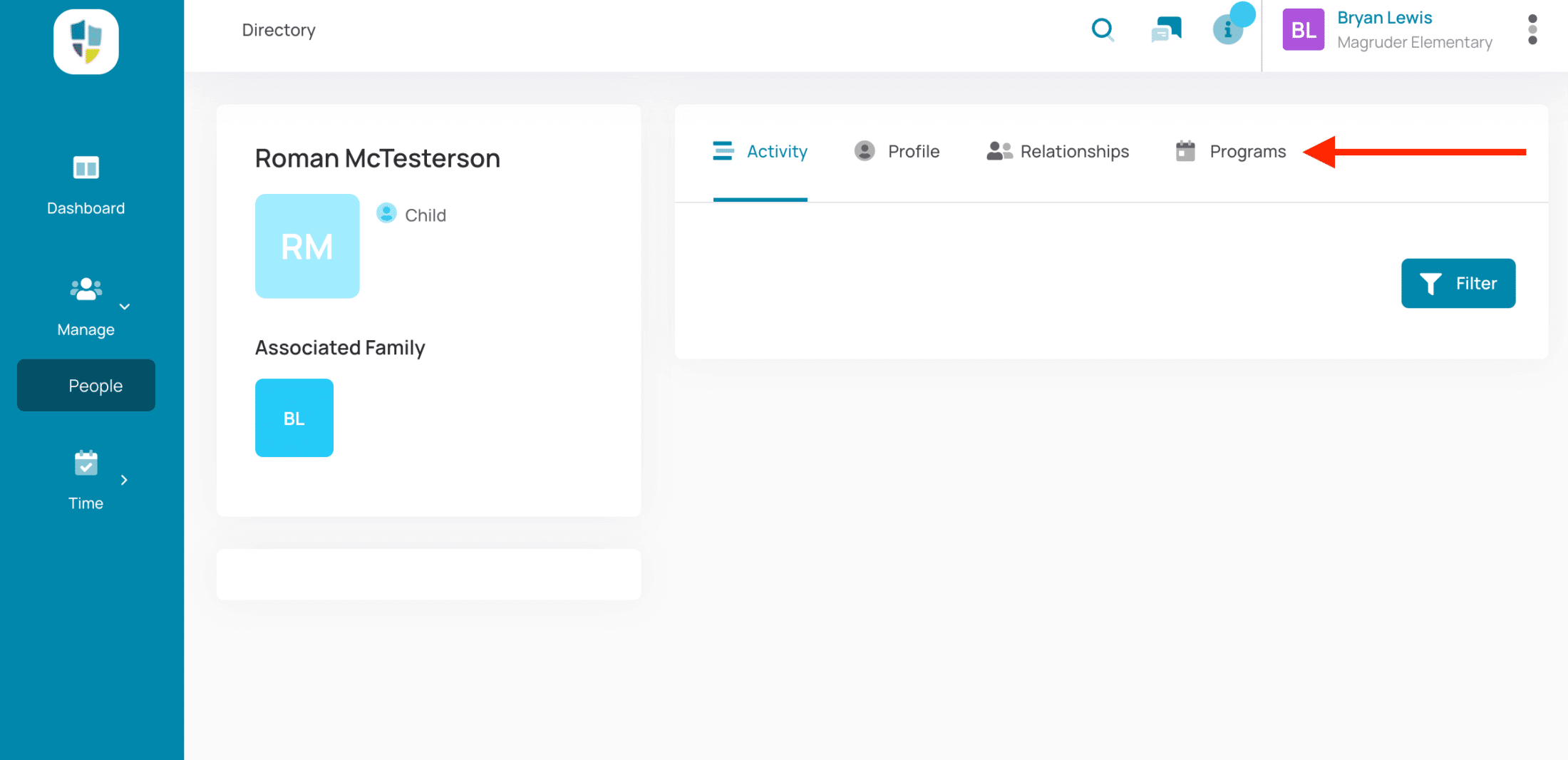
Open the “Manage” menu in the left sidebar, click on “People”, then click on your Child’s card to reveal their profile.
Add/Modify Programs
Select the “Programs” tab to add or modify Programs. Choose all of the programs or items you wish to add and click “Continue”.
Summary & Checkout
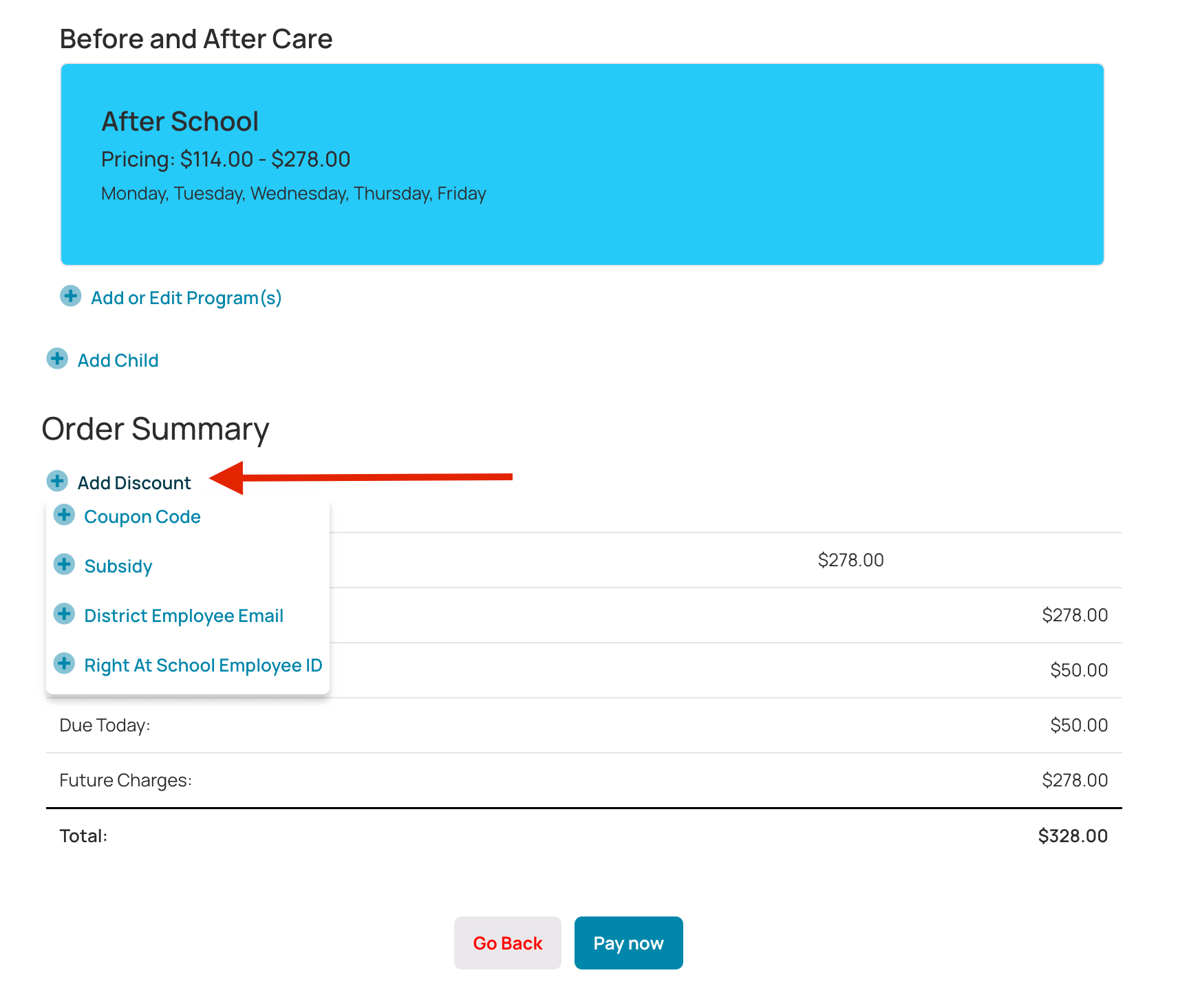
When you’ve completed selecting your programs you’ll be presented with ALL of the schedules your child is enrolled in, including the ones you are adding, along with a summary of charges.
If you qualify for a Discount, hover over the “Add Discount” button and select the discount.
Follow the step-by-step video below to re-enroll with ease!
Start Your Registration Below
New to Right At School? You’ll get a confirmation email with steps to finalize your account after registering. Already attended Right At School but registering at a new school?
Be sure to use the same email you used before—this keeps all your registrations linked under one account!
Please note: If you encounter an error message during registration or find that the program is at capacity, return to your school’s page using the Program Finder to be added to the waitlist or registration pre-approval list.
After your initial registration, you’ll receive an activation email with instructions to complete your account setup and receive your PIN code.